Quantor
🟢 From signup to LIVE — 5 steps

How Quantor works in practice

The full path from signup to automated trading. PAPER mode is on from day one. Real-money LIVE isn't enabled yet — it opens later, after passing the 14 risk gates. Control via the dashboard, Telegram, or both.

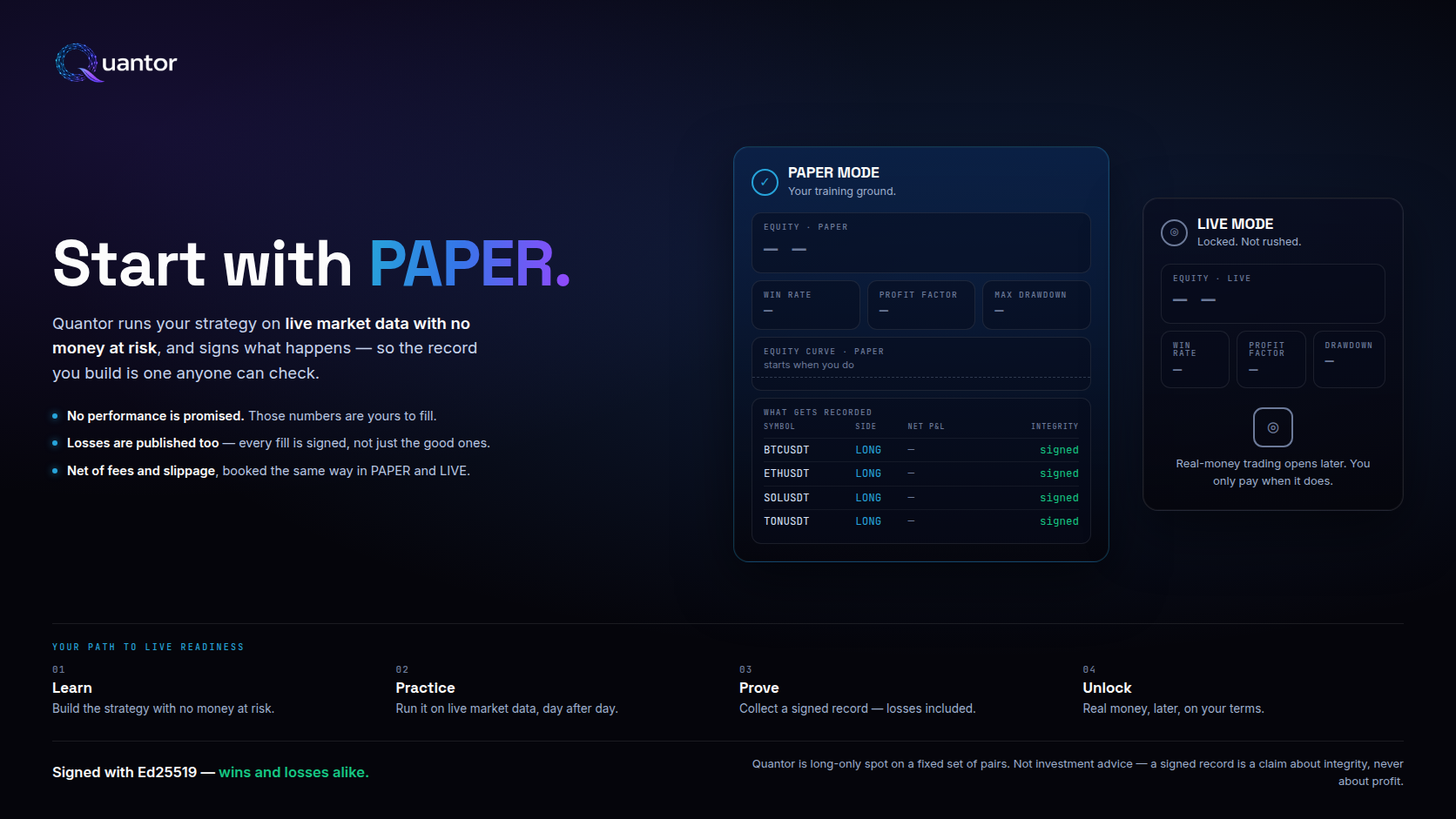
Start with PAPER — Quantor is a paper-first trading platform built for confidence, clarity, and consistency. Your path to live readiness: 1. LEARN — master Quantor's tools and trading fundamentals. 2. PRACTICE — apply strategies, manage risk, and build experience. 3. PROVE — demonstrate results from real, risk-disciplined execution. 4. UNLOCK LIVE — access LIVE mode when you're ready. Side-by-side mockups: PAPER MODE balance $125,430.50 with positive performance chart, vs LIVE MODE locked with 'Complete your paper journey to unlock LIVE trading' message.
1
~ 30 seconds

Sign up — Free PAPER, no card

Email + password. You land on the dashboard immediately on the FREE plan — 1 PAPER bot on BTC/USDT, no card required. Upgrade when you want more bots, more pairs, advanced strategies, or LIVE eligibility: Starter $19/mo, Pro $49/mo, or Teams $129/mo. Pay by card via LemonSqueezy.

2
~ 2 minutes

Link Telegram

From the dashboard hit "Connect Telegram" → a deep-link opens our bot → you send /start <token> → done. This is required for (a) the control plane (managing bots via TG commands), and (b) dual-channel defence on LIVE (without a linked TG you cannot start LIVE — it's one of the 14 gates).

After linking, these commands are available:

/start
Register / link account
/status
Current engine state
/profiles
List strategies
/start_profile
Run a strategy
/pause
Pause the engine
/resume
Resume after pause
/stop
Stop the engine
/keys
API-key status (last4 only)
/billing
Plan + upgrade link
/identity
Verify build signature
/help
Full list
3
~ 3 minutes

Connect your exchange API key

On the exchange you pick in the dashboard, create an API key. Important: keep spot trading only, disable withdraw and futures (unless you need them). You can configure an IP whitelist but it's not required — keys are stored encrypted, withdrawal is blocked at the exchange side.

In Quantor paste the key + secret → hit Save → hit Verify. Verify actually calls the exchange's API to confirm the key works. If the key is invalid you see it instantly with a structured error code from the exchange.

What sits in our database: only the encrypted blob + last4 + a verified=true flag. Decryption happens only at order execution time, in process memory, never written to logs.

4
~ 1 minute

Start a PAPER bot

Pick a strategy (EMA for a first run — the simplest), pick a symbol (BTCUSDT by default — it's on the symbol allowlist), interval (1m), notional ($25 for a test). Hit Start. The bot immediately starts simulating trades on the real market price, but does not send real orders to the exchange. Every "trade" appears in the dashboard and arrives in your Telegram as notifications.

PAPER passes only 2 gates: symbol allowlist + plan-allows-paper. No real money. Run it as many days / strategies / variants as you want. We recommend at least 7 days of PAPER before upgrading.

🛡 Per-bot stop-loss + take-profit. Every bot has its own SL and TP %. Leave the fields empty to use the global defaults (SL 2%, TP 3%) or override per-bot in the form. The engine enforces them at position level on every tick — if price crosses your stop, the bot force-closes the trade with an SL hit audit line; same for TP. Works identically in PAPER and LIVE, so you validate the exit behaviour on simulated capital before risking real money.

5
~ 5 minutes (when you're ready)

Upgrade to LIVE

If you're satisfied with the PAPER results, you can flip LIVE on. This requires:

  • Plan Starter (EMA only), Pro, or Teams — FREE is PAPER-only
  • Telegram linked (dual-channel defence)
  • Exchange keys verified=true
  • Market not in DANGEROUS regime (regime guard)
  • Notional > 0 and within your plan's max-notional ladder
  • Strategy is on the whitelist for the chosen executionMode:
    LIVE_SAFE: EMA only
    LIVE_ADVANCED: EMA, Breakout V1, TS Momentum V1, Adaptive Pro, Custom

If something doesn't line up, the API returns an exact risk_code in the JSON response — for example: PLAN_DOES_NOT_ALLOW_LIVE_TRADING, TELEGRAM_NOT_LINKED, EXCHANGE_KEYS_NOT_VERIFIED, DANGEROUS_MARKET_REGIME. You see the exact reason — not just "it didn't work".

When does LIVE actually unlock?
  • Real-money LIVE opens later, once exchange-execution testing is complete — the open beta runs PAPER-only, and we won't switch real money on before it's proven. Start free to run a PAPER bot today.
  • Once open, the 14 gates re-evaluate on every start attempt — there is no manual approval queue. Fix the blocking condition (link Telegram, verify keys, wait out a DANGEROUS regime) and hit Start again. If all gates pass, the LIVE bot opens within a second.
  • Stuck with a risk_code you don't understand or think is wrong? Email bugs@quantorsaas.app with the code — typically a same-day reply with the exact fix.

PAPER mode

  • Simulated on the live price, real orders are not sent
  • 2 gates: symbol allowlist + plan allows PAPER
  • Available on the FREE plan and up
  • Can start immediately, no TG / no exchange keys required
  • Ideal for evaluating a strategy before real money

LIVE mode

  • When LIVE opens: real orders on your connected exchange, real money
  • 14 gates before every start
  • Available on Starter (EMA only), Pro, and Teams — when LIVE opens
  • Requires TG link + verified keys + non-DANGEROUS regime
  • Can be stopped from Telegram in 3 taps

Ready to start?

Signup takes 30 seconds. A PAPER bot starts within a minute of plan activation. Before paying, you can verify our signature and confirm that the code running in production right now is exactly the code we claim it is.