
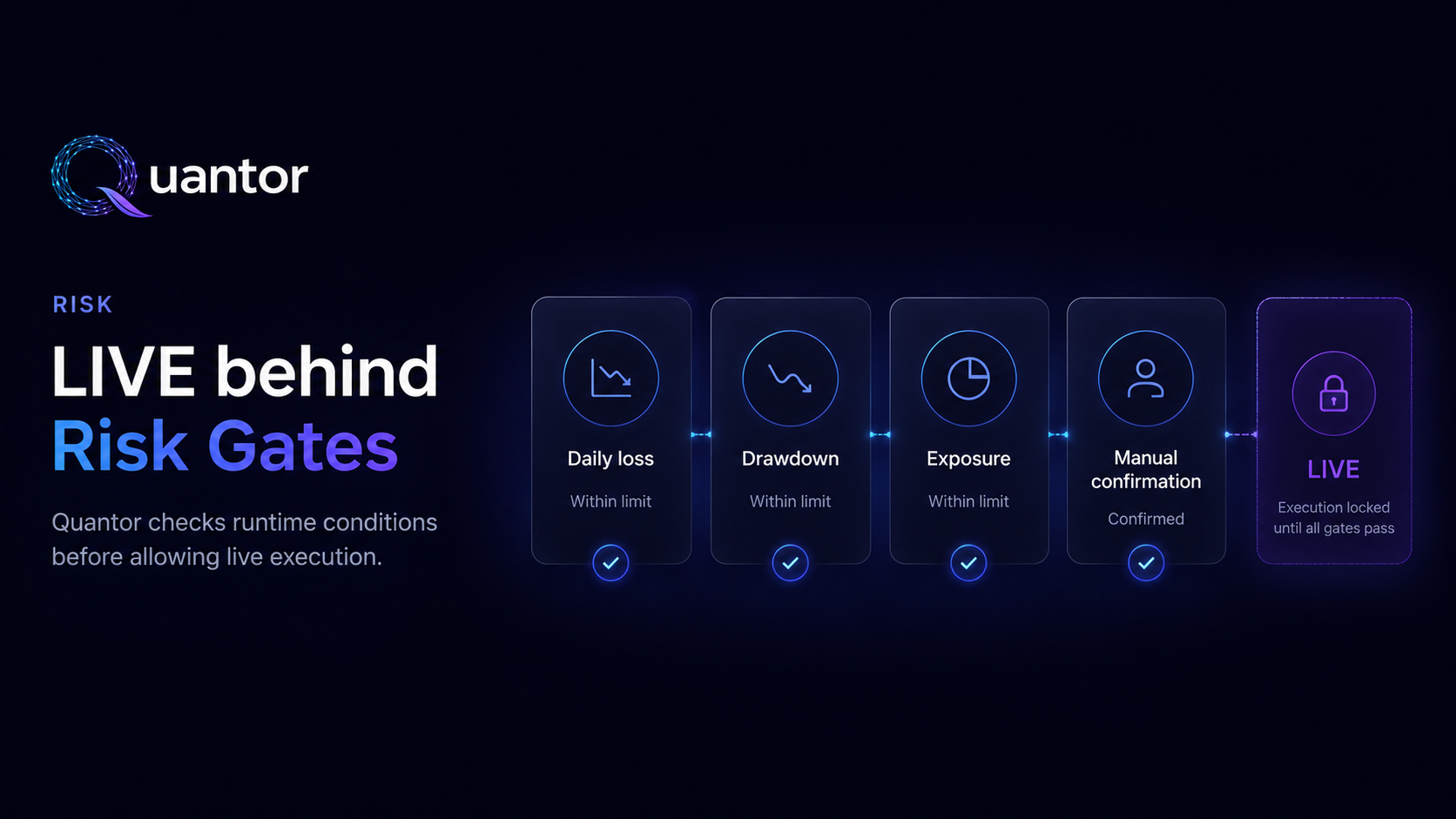
You hit Start LIVE bot in the Quantor dashboard. Before a single byte goes to the Binance order endpoint, 14 independent checks fire inside the api. Any one of them returning "no" aborts the start with a specific, machine-readable reason code, a human-readable explanation, and a JSON payload describing the exact state at the moment the gate fired. None of this is fast. All of it is by design.
Most retail bot products check one or two of these — plan-level
authorisation and maybe an API-key presence flag. We check all
14, every single live start, every time. This post walks each
one in the order they actually fire in
BotStartRiskPolicyService.assertCanStart(),
with the exact reason code the api emits and what it means.
The point isn't to make starting a bot hard. The point is that every time we do allow one to start, it's because fourteen independent signals all said "yes" — not because nobody thought to check.
Why a chain instead of a single decision
A single boolean check ("can this user start a live bot?") would
be simpler. It would also be opaque. When the chain says "no",
the user gets the specific gate that fired:
EXCHANGE_KEYS_NOT_VERIFIED means something completely
different from DANGEROUS_MARKET_REGIME, and a single
boolean can't tell them apart. With 14 named gates, the failure
mode itself is the diagnostic.
Order matters too. Cheap checks (symbol allowlist, plan
permissions) run before expensive ones (subscription DB lookup,
regime cache read, exchange-key decryption). If the symbol isn't
BTCUSDT or ETHUSDT, we return that
reason in ~10µs without touching anything else.
Gate 1 — SYMBOL_NOT_ALLOWED
The cheapest gate. The backend keeps an explicit allowlist of
symbols we're willing to route automated orders for. The default
is {BTCUSDT, ETHUSDT}; admins can extend it via the
quantor.trading.symbolAllowlist config. If the
requested symbol is anything else — including an alt the user
could absolutely trade manually — the start is refused.
Why: most public retail bot failures are alt-coin specific (rug pulls, liquidity holes, exchange listing changes). Sticking to majors is the boring, defensible default; users who want something else can ask for it in writing and we'll think about it.
Gate 2 — PAPER_TRADING_NOT_ALLOWED
If the user is somehow on a plan whose
paperTradingAllowed flag is false (very rare — every
shipped plan includes PAPER), even paper starts are refused
before we touch live-only checks. This is a defence-in-depth gate
against plan-config mistakes: if we ever ship a plan that
shouldn't allow trading at all, the user can't accidentally route
paper orders either.
Gate 3 — DANGEROUS_MARKET_REGIME
The flagship Quantor gate, covered at length in the
regime-detector post. The
MarketRegimeService publishes a refreshed assessment
(CALM / VOLATILE / DANGEROUS) every few minutes. If the current
regime is DANGEROUS — high realised daily volatility or deep
drawdown from peak — every live start is refused regardless of
plan, allowlist, or user permission.
The reason text in the API response is the literal numeric assessment: "Daily volatility 4.2% and drawdown 16% both signal a crash window — live starts blocked." The user sees the specific evidence, not a generic "try again later".
Gate 4 — LIVE_TRADING_DISABLED
The runtime kill switch. A single Cloud Run env var
(quantor.trading.live.enabled) controls whether
any LIVE starts are allowed across the entire system.
Flipping it off takes effect within seconds and propagates
without a redeploy. Running bots already in flight aren't
auto-killed but no new ones can start.
This is the gate we use during incident response, ahead of a contentious exchange listing event, or while shipping a non-trivial code change. The fact that it's a config flag, not a code branch, means it can be flipped by anyone with Cloud Run admin access in under a minute.
Gate 5 — LIVE_TRADING_USER_NOT_ALLOWLISTED
Beta gate. Quantor is in open beta and real-money LIVE is not
enabled yet — even paying users have to be on a per-userId
allowlist (quantor.trading.live.allowedUserIds) to
send a single live order. The list is short, intentionally; we'd
rather delay a few users than ship live trading prematurely.
This gate goes away when the product graduates from "controlled live access" to "anyone on Pro / Teams can flip live on". For now it stays.
Gate 6 — LIVE_MAX_NOTIONAL_REQUIRED
The live start request must include a positive
notionalUsd field. Sending zero or omitting it
doesn't fall back to "trade with whatever balance you have" —
it fails the start. Explicit notional means an explicit per-bot
cap on dollar exposure, and the user always sees the cap they
consented to in the request URL.
Implementation detail: the field is required at the API layer, not just the UI layer. A user crafting a curl bypass still has to set it. There is no "we'll figure out the size for you" path anywhere in the chain.
Gate 7 — SUBSCRIPTION_REQUIRED
The user has to have an active, non-frozen subscription in our
subscriptions table that grants live access. The
SubscriptionPort.canTrade() check reads the
latest subscription record and returns true only for
ACTIVE rows whose plan supports trading. Expired,
cancelled, or never-paid users hit this gate.
Gate 8 — ACCOUNT_FROZEN / PLAN_BOT_LIMIT_REACHED
Bot count limit. Every plan has a max-bots field
(Starter=1, Pro=3, Teams=10) and a frozen-account flag set
manually by admin during incident response. The
SubscriptionAccessService.assertCanStart() check
enforces both: a frozen account can't start any new bot,
and a plan at its bot limit can't start one above the cap until
an existing bot is stopped.
The risk code splits — ACCOUNT_FROZEN if the freeze
is the cause, PLAN_BOT_LIMIT_REACHED if it's the
count cap — so the user knows whether the answer is "talk to us"
or "upgrade your plan".
Gate 9 — LIVE_TRADING_NOT_ALLOWED
Plan-level live permission. Starter is restricted to LIVE_SAFE
(EMA strategy only); Pro and Teams support live on every
strategy. FREE is paper-only. If the user's resolved plan
doesn't include live for the requested strategy, the gate
returns BlockingReasonCode.PLAN_DOES_NOT_ALLOW_LIVE_TRADING
and the dashboard shows the "upgrade" CTA inline with the
error.
Gate 10 — ADVANCED_LIVE_NOT_ALLOWED
Two LIVE sub-modes exist: LIVE_SAFE (EMA strategy
only — the simplest, most-tested code path) and
LIVE_ADVANCED (Breakout V1, TS Momentum V1, Adaptive Pro). Even
if the plan supports live, advanced strategies require the
advancedStrategies flag on the plan — that's Pro
and Teams; Starter stays on EMA-only.
Why this is its own gate: a user accidentally selecting "TS Momentum V1"
on a Pro plan shouldn't get a confusing
"LIVE_TRADING_NOT_ALLOWED" error — they should get
"ADVANCED_LIVE_NOT_ALLOWED" with a hint about which
strategy is available on their plan. The fine-grained
reason code unlocks better UX.
Gate 11 — TELEGRAM_NOT_LINKED
No Telegram link, no live trading. The chain checks
telegram_link for a confirmed account before
proceeding. The link is required because a live bot needs a
reliable out-of-band channel for alerts (regime flip, daily-loss
reached, kill-switch flipped, key revoked at exchange). Email
is not a substitute — Telegram delivery is faster and the user
is more likely to see it.
Side benefit: linking TG also enables the
/identity command that lets the user verify the
running build's Ed25519 signature from inside their bot chat.
The chain is consistent: every component that touches money has
a verifiable out-of-band signal.
Gate 12 — STRATEGY_NOT_ALLOWED
Strategy code must match the execution mode:
LIVE_SAFEaccepts:EMALIVE_ADVANCEDaccepts:EMA,BREAKOUT_V1,TSMOM_V1,REGIME_PRO_V1
Any other strategy code triggers the gate. The set is hard-coded
in BotStartRiskPolicyService — we don't read it
from config, because a misconfigured allowlist would silently
enable a strategy in live mode that hasn't been validated.
Gate 13 — EXCHANGE_KEYS_NOT_VERIFIED
The user's Binance API key must exist and have its
verified=true flag set in the DB. The flag is set
only after the onboarding flow successfully called a read-only
balance endpoint with the key — i.e. we observed it work end-to-end
against the exchange. Copy-paste typos, expired keys, IP-allowlist
mismatches all fail this gate.
Important: this gate doesn't check the scope of the key (whether withdraw is disabled). That's covered in our self-custody post: the exchange itself enforces the scope, and the safe scope is "trade-only" — verified by the user on the Binance side, which we can't fake from inside our infrastructure.
Gate 14 — MAX_NOTIONAL_USD_EXCEEDED /
TRADING_DISABLED
The final gate — and the most quantitative.
StartRiskEvaluator.canStart() runs the
plan-specific risk limits against the user's requested notional:
- Starter: max notional $250 per bot, daily-loss limit 2%
- Pro: max notional $5 000 per bot, daily-loss limit 5%
- Teams: max notional $25 000 per bot, daily-loss limit 10%
- Free: trading disabled (start refused regardless of request)
If the requested notional exceeds the plan ceiling, the gate
returns the cap so the user can adjust. If the plan has
tradingDisabled=true (FREE), the gate refuses
with TRADING_DISABLED and no further evaluation.
How the chain looks from the outside
Every gate returns the same response shape — a
ProductPolicyException rendered as JSON. The
risk_code field is the discriminator, the
message field is human text, and the extra fields
describe the state that caused the refusal:
POST /api/v1/engine/start
{ "exchange": "BINANCE", "strategyId": "TSMOM_V1",
  "executionMode": "LIVE_ADVANCED", "notionalUsd": 6000,
  "symbol": "BTCUSDT" }

→ HTTP 403
{
  "error": "Live trading is disabled by runtime kill switch.",
  "code":  "RISK_POLICY_BLOCKED",
  "details": {
    "risk_code":              "LIVE_TRADING_DISABLED",
    "exchange":               "BINANCE",
    "requestedNotionalUsd":   "6000",
    "plan":                   "PRO_PLUS",
    "executionMode":          "LIVE_ADVANCED",
    "strategyId":             "TSMOM_V1"
  }
}
Any operator integrating Quantor via API can match on
risk_code, surface the right UI, and even pre-flight
the call: each gate is also exposed in
previewLimits() which returns the user's current
ceilings without attempting an actual start.
Why we publish this
Most retail bot products treat their risk policy as proprietary, then market on "robust risk management" without naming a single gate. The result is users can't tell whether the product checks 14 things or 1 — they have to take it on faith.
We don't want that contract. The codes are public. The order is
public. The plan-specific ceilings are public. Every refusal in
production carries enough machine-readable detail that the user
can debug what happened. And the
BotStartRiskPolicyService.java
source file is — when the repo opens — the single source of truth
for what "safe to start a LIVE bot" means inside Quantor.
If you can think of the 15th gate we should add, please tell us. The mailing address is at the bottom of every page.
For the algorithm behind gate 3 see the regime detector post; for gate 13 + the broader key-handling story see self-custody by construction. Build identity (separate cryptographic guarantee) is at signed builds with Ed25519. Questions and criticism go to bugs@quantorsaas.app.